WORDPRESS / LEARNING PLATFORM01 / CASE STUDY
LYNIKBeauty & Academy.
A custom WordPress website for LYNIK Beauty & Academy with a dedicated learning area. A dashboard, modules, video lessons and personal progress connect the public website with learning inside the account.
- My contribution
- Frontend and WordPress development, custom learning area
- Technologies
- WordPress · PHP · JavaScript · ACF · AJAX · Custom Post Types
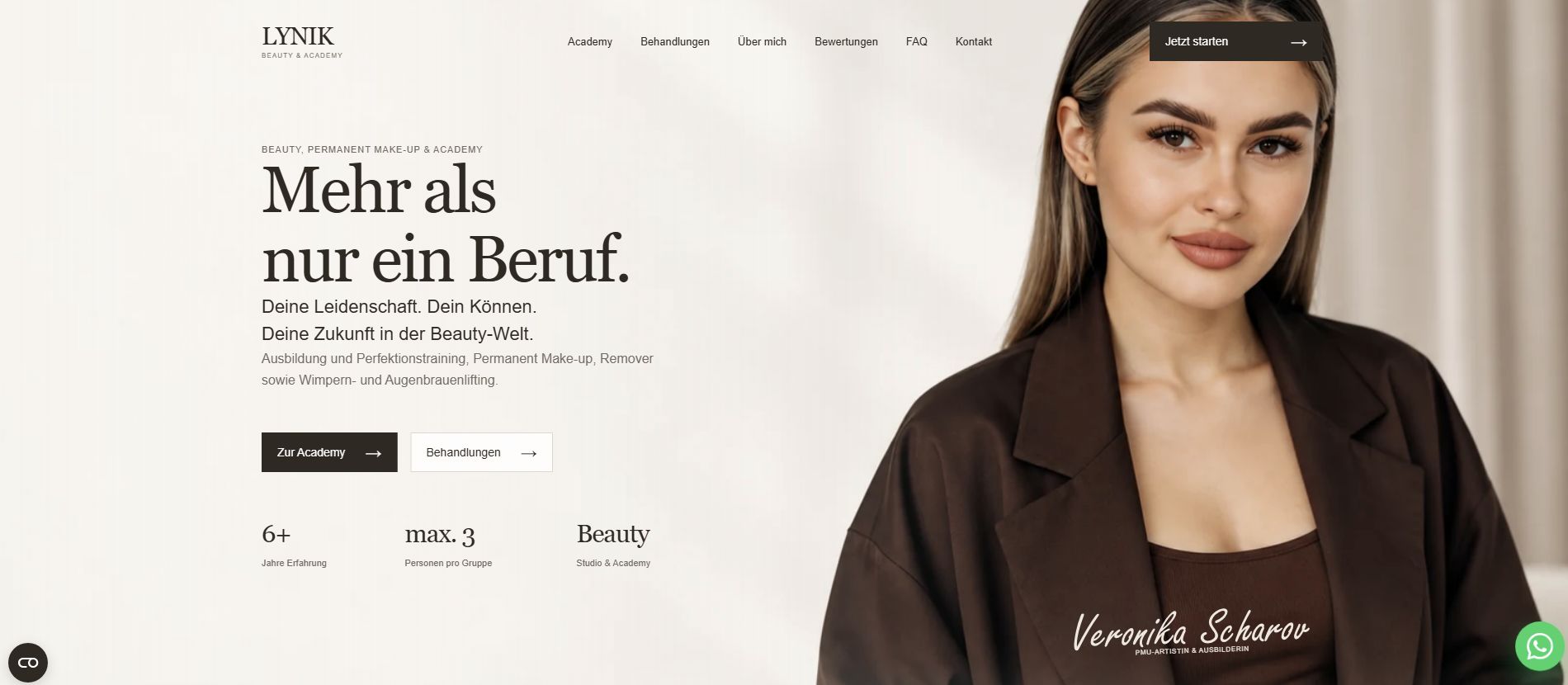
Beauty website with a custom learning platform
LYNIK brings together two distinct journeys: discovering the beauty studio and studying at the Academy. The public website introduces the studio, while the personal account helps students find their materials and continue learning. This required more than page layouts: the project needed a dedicated content structure and user-specific behaviour.
I developed the frontend, a custom WordPress theme and the learning area. The work combined a responsive interface, structured learning content and functionality linked to each student’s role and progress.
Challenge
Connect the new studio website with a clear learning experience.
Implementation
Build a custom WordPress theme with courses and modules, a dashboard, progress tracking and sequential lesson access.
Outcome
Learners can see their progress, find the next lesson and manage their profile in one account.
What I developed
Custom theme and responsive studio and Academy website
The public pages and learning area form one coherent website. Responsive layouts preserve the content hierarchy and access to key actions across screen sizes.
Custom learning area with dashboard, modules and video lessons
I built a dedicated learning interface inside WordPress, including an overview dashboard, modules and video lesson pages. The account area is custom development, rather than just a reskin of a ready-made template.
Learning progress, next lesson and module/status filters
Progress belongs to the individual student. A next-lesson entry point supports continuity, while module and status filters make it easier to find relevant materials without scanning the entire list.
Student role and sequential lesson access
A student role separates the learning journey from the public website. Sequential lesson access supports a defined order of study, with available content linked to the student’s stage of learning.
Profile management, password recovery and certificate status
The account includes profile settings, password recovery and certificate status. These functions support the lessons and let users manage their learning account.
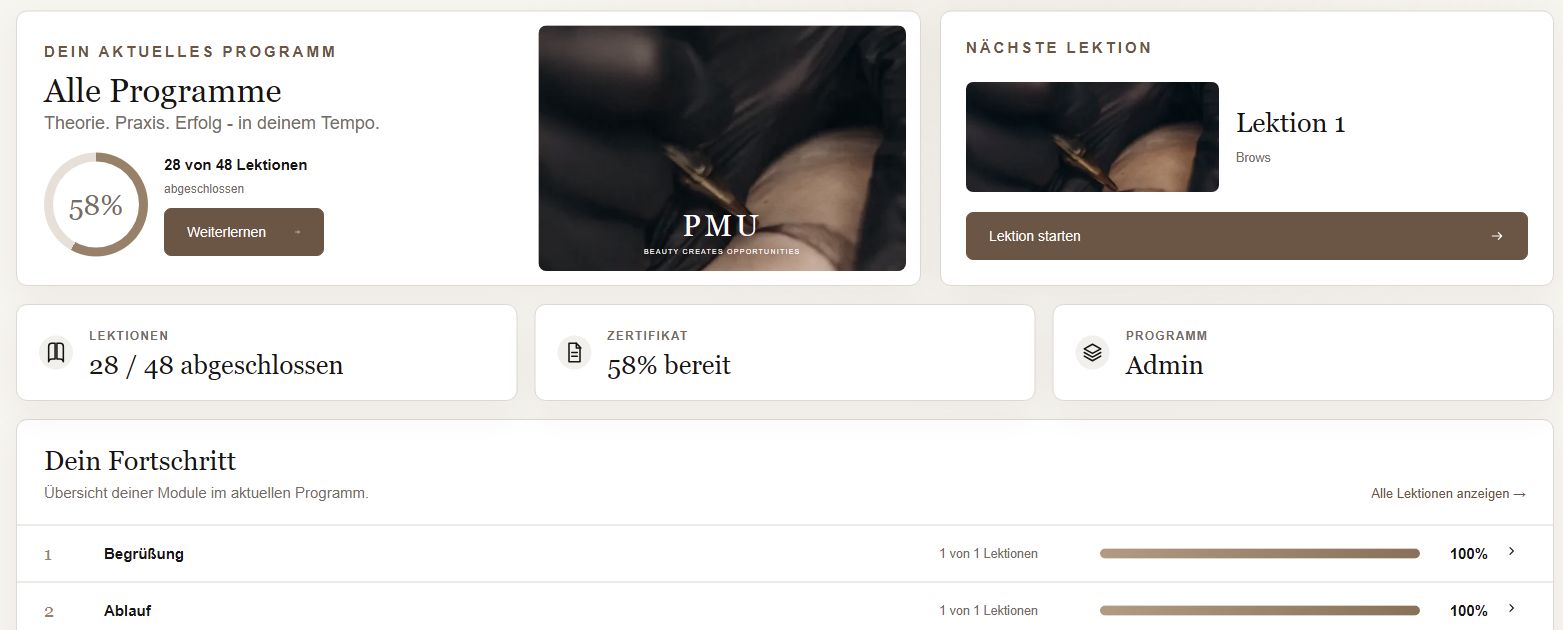
Learning inside a personal account
The dashboard answers the student’s key questions: where am I in the course, what have I completed, and what comes next? It provides a single starting point instead of a collection of disconnected pages.
Personal progress and the next lesson are brought together in one view. Account settings live in the same environment, keeping learning and profile management within one system.
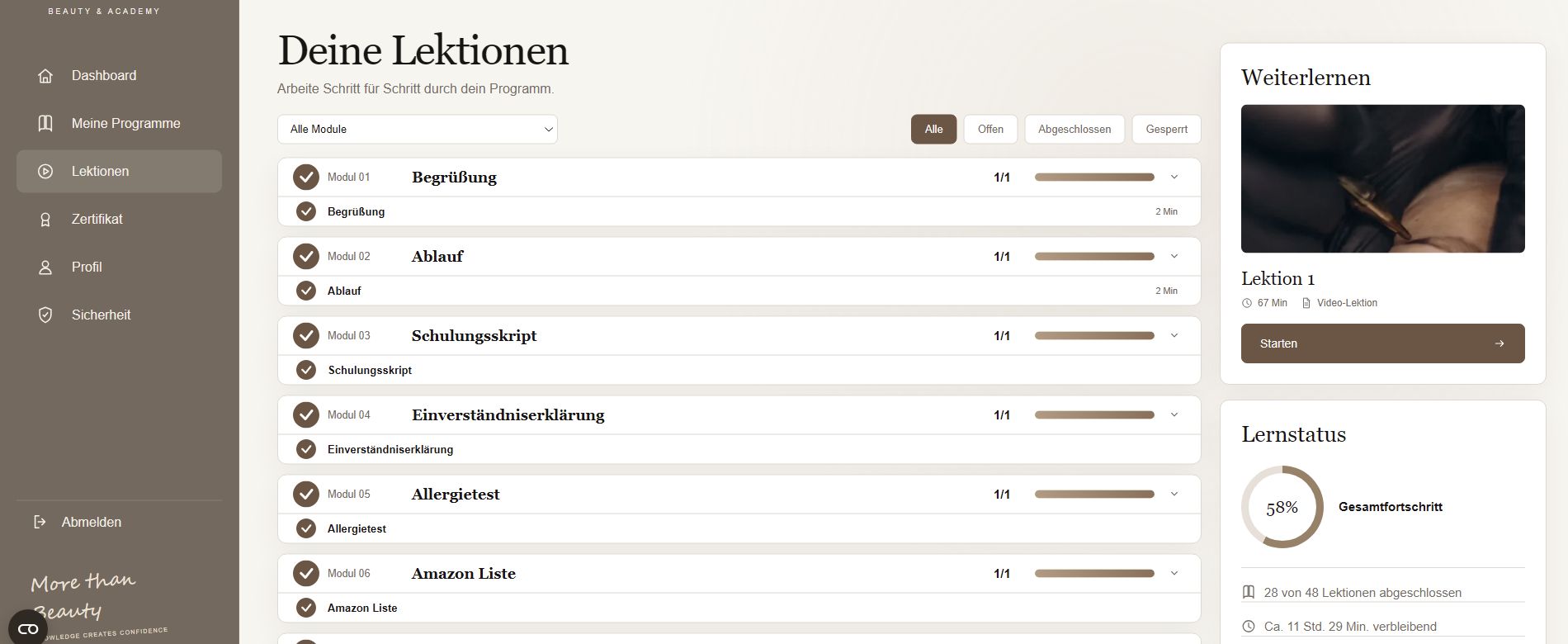
Modules, lessons and progress
Modules group related topics, while lessons represent individual steps. This structure helps students understand both the lesson itself and its place in the wider programme.
Module and status filters support navigation through the materials. Sequential access adds custom business logic: the account presents a student-specific learning path, not simply a video catalogue.
Development approach
WordPress provides the foundation for both the public website and learning platform. The custom theme handles presentation, while Custom Post Types and ACF support content structure and editing. PHP powers the server-side functionality; JavaScript and AJAX support interactive behaviour.
The important part of this project is the connection between content, accounts and learning state. Modules and lessons define the programme, the student role controls learning access, and personal progress helps students pick up where they left off. Those relationships distinguish the platform from a conventional informational website.
The result is a unified studio and Academy website with a custom learning area. This case demonstrates my experience beyond WordPress layouts: building user journeys, content structures and student-specific learning logic.
A project by Bohdan Anisovets
WordPress with custom logic.
Looking for support for your team or a custom WordPress project?
Get in touch Next project: Wangpack Back to all projects